
Skip to content
See all industries

Industry solutions

Websites for hair and beauty salons

A structure that presents services and packages clearly and leads visitors into a booking request.
North & Fifth Hair
North & Fifth HairHighlights & balayageKeratin treatment
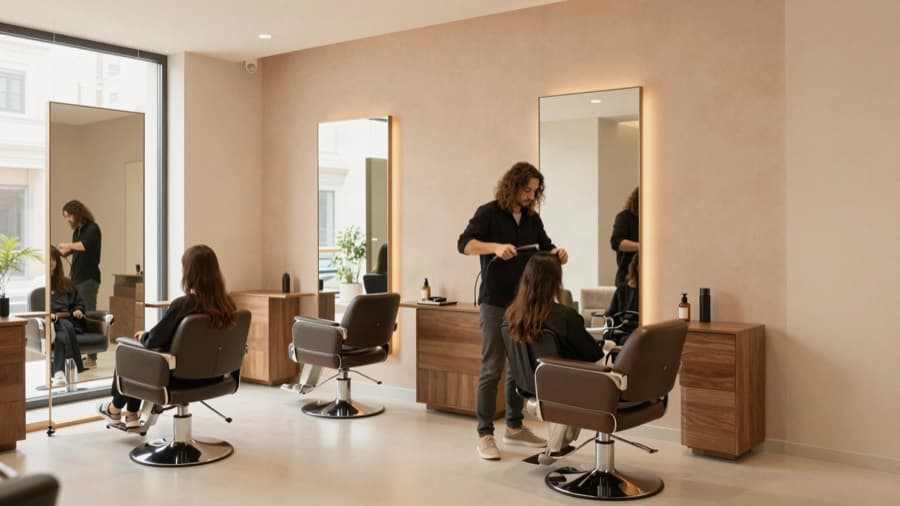
Hairdresser styling a client's hair in a bright salon

Your hair's new address

Highlights & balayage · Keratin treatment

Book now

The businesses and content shown are demo concepts, not customer references.

What should the website solve?

Turn service discovery into a booking request.

  • 01

    Service and price scope

  • 02

    Strong salon photography

  • 03

    Booking and package requests

From visitor to you

  1. 01

    Compares treatments and packages

  2. 02

    Chooses a service

  3. 03

    Leaves a booking request

Direct inquiry

A submitted booking or contact form

Contact intent

A WhatsApp or phone click

Product tour

Signals stay clearly separated

Local demo data
Business brief

A website for North & Fifth Hair in Bristol, offering highlights & balayage and keratin treatment.

North & Fifth HairBristol
Website preview
North & Fifth HairHighlights & balayageKeratin treatment
Hairdresser styling a client's hair in a bright salon

Your hair's new address

Highlights & balayage · Keratin treatment

Book now
Direct inquiry
Morgan R.Could I get more information about highlights & balayage?Form submission
WhatsApp clickContact intent
Next step
Review logo and contact details
  1. Draft
  2. Preview
  3. Published
Submitted forms and bookings are direct inquiries. Phone and WhatsApp clicks appear separately as contact intent.

Signals stay clearly separated

Submitted forms and bookings are direct inquiries. Phone and WhatsApp clicks appear separately as contact intent.

What the site should do for you

Turn service discovery into a confident booking request.

Visitors compare treatments and packages, understand the salon style and submit a request with the right context.

How customers reach you in this trade

Turn service discovery into a confident booking request.

Form inquiries and bookings are direct inquiries; phone and WhatsApp clicks are a separate contact-intent signal. Below are the fields and flows that work in this trade.

Form fields
  • Service (cut, colour, keratin, bridal package)
  • Preferred day and time
  • Hair length or previous treatments
  • Phone number
Booking type
Booking by service duration: a wider slot for long treatments, a half-hour slot for quick care.
WhatsApp and phone
Price questions mostly arrive over WhatsApp. The click is an intent signal, and putting a price range on the page reduces that traffic.
One job for the first week
Write the duration and price range of your three most common services, and make service selection required on the booking form.

Cut, colour and hair care

Explain treatments through scope, timing and preparation without promising outcomes.

The path a customer takes

The selected service adds context to the booking request.

Bridal and occasion packages

Clarify package contents, trial requirements and preferred dates in one path.

The path a customer takes

Date and package interest are stored together in the submitted form.

Booking request

Collect the service, preferred day and contact details in a short form.

The path a customer takes

The request is stored; the salon confirms the final appointment time.

Salon, team and visit details

Bring real salon imagery, location, opening hours and preparation notes together.

The path a customer takes

Visitors set the right expectations before requesting a booking.

The first 30 days after launch

What to do after your site goes live, split into weeks. Every item is a concrete job on your own screen or in your business, not a promise of results.

  1. Week 1 · Publish and verify
    • Test the booking form from your own phone
    • Verify durations and prices in the service menu
    • Add the site address to your Instagram profile
  2. Week 2 · Complete the menu
    • Add at least one photo per category
    • Write the contents of bridal and special-day packages
    • Mark services that need a consultation
  3. Week 3 · Manage bookings
    • Confirm booking requests or propose a new time from the dashboard
    • Send a reminder for confirmed bookings
    • Do not treat WhatsApp clicks as bookings
  4. Week 4 · Review
    • See which service gets the most bookings
    • Highlight quiet hours in the menu
    • Complete services without photos

Build your site today.

Describe your business, see the preview, then choose your plan. The preview does not ask for your contact details.