
Skip to content
See all industries

Industry solutions

Websites for electricians and plumbers

A structure that speeds up urgent calls, clarifies service areas and records demand in the right channel.
BrightLine Electric & Plumbing
BrightLine Electric & PlumbingElectrical faultsPlumbing repair
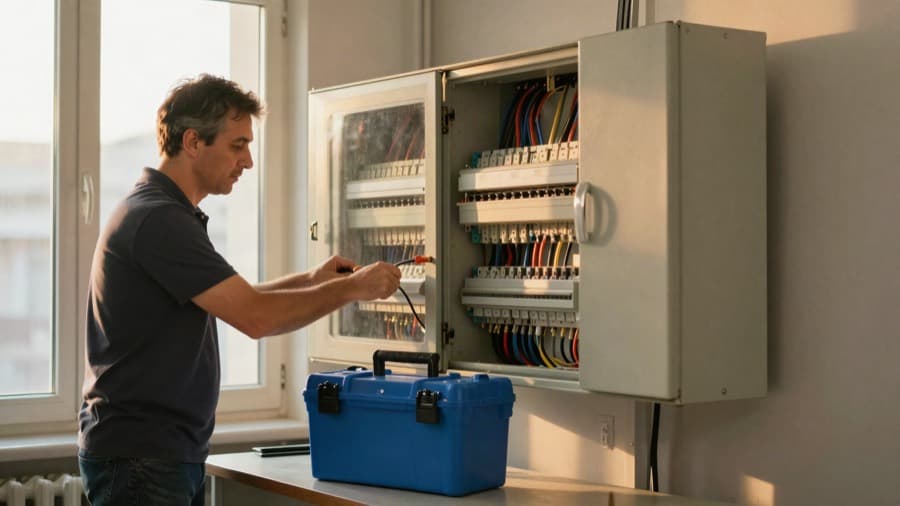
Electrician installing a breaker panel in an apartment

24/7 emergency service, same-day fix

Electrical faults · Plumbing repair

Call us now

The businesses and content shown are demo concepts, not customer references.

What should the website solve?

Route an urgent need to the right contact channel.

  • 01

    Fast phone and WhatsApp access

  • 02

    Service areas and job types

  • 03

    Inspection or service request form

From visitor to you

  1. 01

    Confirms the fault quickly

  2. 02

    Chooses phone or WhatsApp

  3. 03

    Submits a form when needed

Direct inquiry

A submitted service or inspection form

Contact intent

An urgent call or WhatsApp click

Product tour

Signals stay clearly separated

Local demo data
Business brief

A website for BrightLine Electric & Plumbing in Leeds, offering electrical faults and plumbing repair.

BrightLine Electric & PlumbingLeeds
Website preview
BrightLine Electric & PlumbingElectrical faultsPlumbing repair
Electrician installing a breaker panel in an apartment

24/7 emergency service, same-day fix

Electrical faults · Plumbing repair

Call us now
Direct inquiry
Morgan R.Could I get more information about electrical faults?Form submission
WhatsApp clickContact intent
Next step
Review logo and contact details
  1. Draft
  2. Preview
  3. Published
Submitted forms and bookings are direct inquiries. Phone and WhatsApp clicks appear separately as contact intent.

Signals stay clearly separated

Submitted forms and bookings are direct inquiries. Phone and WhatsApp clicks appear separately as contact intent.

What the site should do for you

Handle urgent needs quickly and planned work clearly.

Visitors identify the right service at a glance, call when it is urgent or leave a detailed request for planned work.

How customers reach you in this trade

Handle urgent needs quickly and planned work clearly.

Form inquiries and bookings are direct inquiries; phone and WhatsApp clicks are a separate contact-intent signal. Below are the fields and flows that work in this trade.

Form fields
  • Fault type (electrical, plumbing, boiler)
  • Urgent or scheduled
  • District and building type
  • A reachable phone number
  • A short description
Booking type
A time window for scheduled work; an urgent fault asks for a direct call, not a booking.
WhatsApp and phone
Phone clicks dominate for urgent faults. Calls and WhatsApp clicks are separate signals in the dashboard, and who called is not recorded.
One job for the first week
Put your emergency hours and the districts you actually cover on the page; both decide the quality of the inquiries.

Electrical faults and urgent service

Separate fuse, socket, lighting and wiring faults into clear service paths.

The path a customer takes

Phone and WhatsApp clicks are measured as contact intent.

Leaks and plumbing repairs

Collect the issue type, location and suitable time window in the form.

The path a customer takes

A submitted service form becomes a persistent inbox inquiry.

Inspection and quote requests

Guide renovation, new installation and larger jobs into a short inspection brief.

The path a customer takes

Job scope and contact details are captured in the same inquiry.

Coverage areas and working hours

Show where, when and for which services the business is available.

The path a customer takes

Poor-fit inquiries can self-filter before making contact.

The first 30 days after launch

What to do after your site goes live, split into weeks. Every item is a concrete job on your own screen or in your business, not a promise of results.

  1. Week 1 · Publish and verify
    • Test that phone and WhatsApp clicks work
    • Verify service area and hours on the first screen
    • Link your Google Business Profile to the site
  2. Week 2 · Sharpen services
    • State a response-time range on the emergency page
    • Add example photos to panel and plumbing jobs
    • Add photo upload to the site-visit form
  3. Week 3 · Work the inquiries
    • Reply to site-visit inquiries the same day
    • Track intent signals (clicks) separately
    • Write recurring questions into the FAQ
  4. Week 4 · Review
    • Note which districts inquiries come from
    • Move the most requested service to the top
    • Add any missing service page

Build your site today.

Describe your business, see the preview, then choose your plan. The preview does not ask for your contact details.